DeFi yields at lows, but RLUSD offers 20% APY
Here's what RLUSD is and how to get real yield on it
Yields across DeFi have been getting tighter lately. Finding a high-certainty return in this market takes real work, which is why a 20% APY on a regulated stablecoin is worth paying attention to.
With XRPL (XRP Ledger) now fully integrated into Bitget Wallet, Ripple's compliant stablecoin RLUSD is also live on the platform.
To kick things off, we're running a limited-time Earn campaign: you'll get a 7% base yield on RLUSD, with extra platform subsidies boosting it up to 20% APY (while rewards last).
To help you get in on it seamlessly, we've put together a simple four-step guide to walk you through the process.
Step 1: Add the XRPL network and get XRP for gas
You'll need a small amount of XRP to cover transaction fees on XRPL. Two ways to get set up:
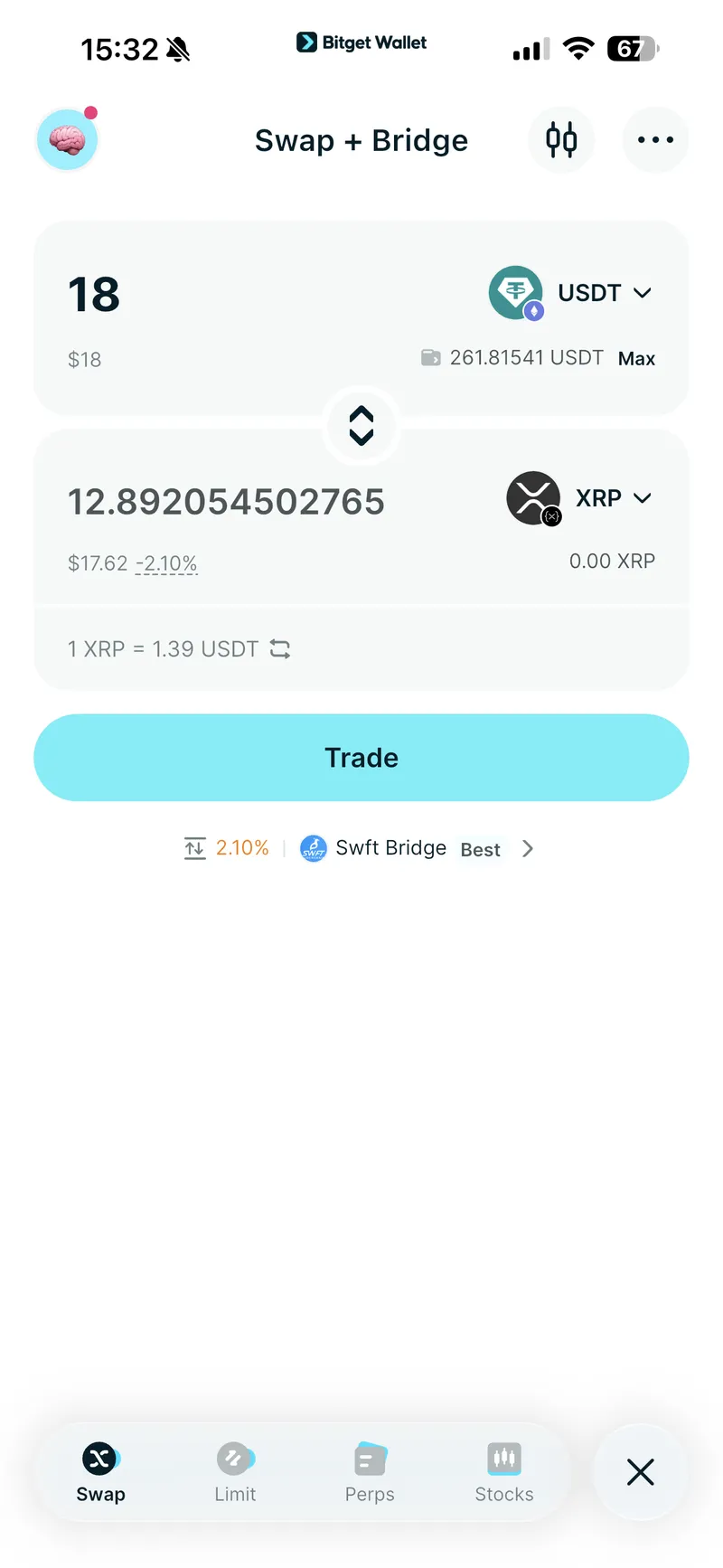
Option A – Swap within the wallet: If you have USDT on BNB Chain, you can swap directly to XRP (XRPL) from within Bitget Wallet. Make sure your balance is at least 15.1 USDT equivalent before swapping. Once the swap completes, you'll be prompted to add the XRPL network in one tap.
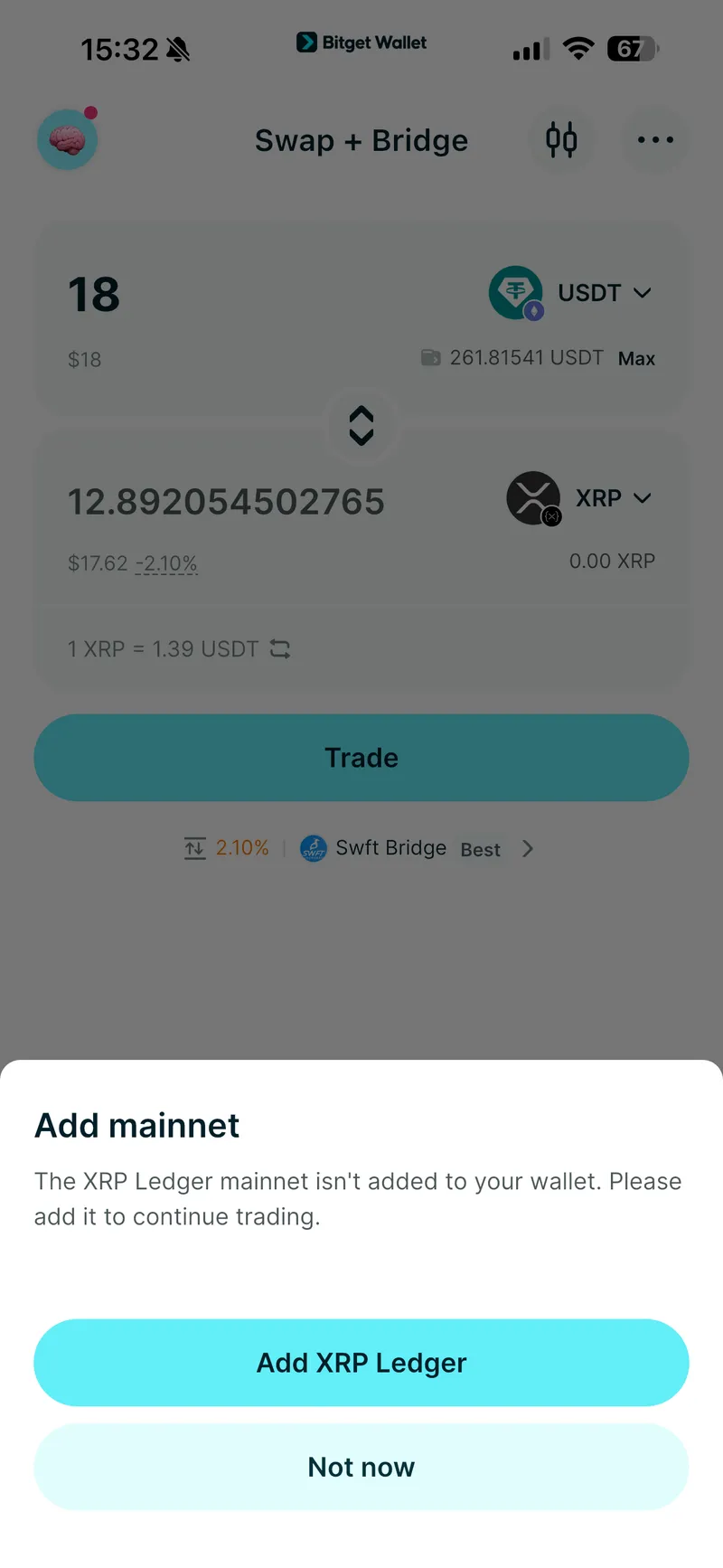
⚠️ Note: Social login wallets and MPC (keyless) wallets do not currently support XRPL. Use a standard seed phrase wallet to participate.
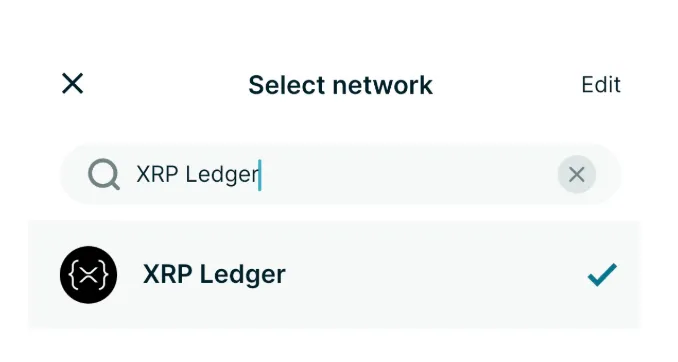
Option B – Withdraw XRP from an exchange: Buy XRP on any major exchange and withdraw directly to your wallet. Then go to the Wallet page > tap the network icon on the top right > search "XRP Ledger" > tap Add network.
Step 2: Activate RLUSD
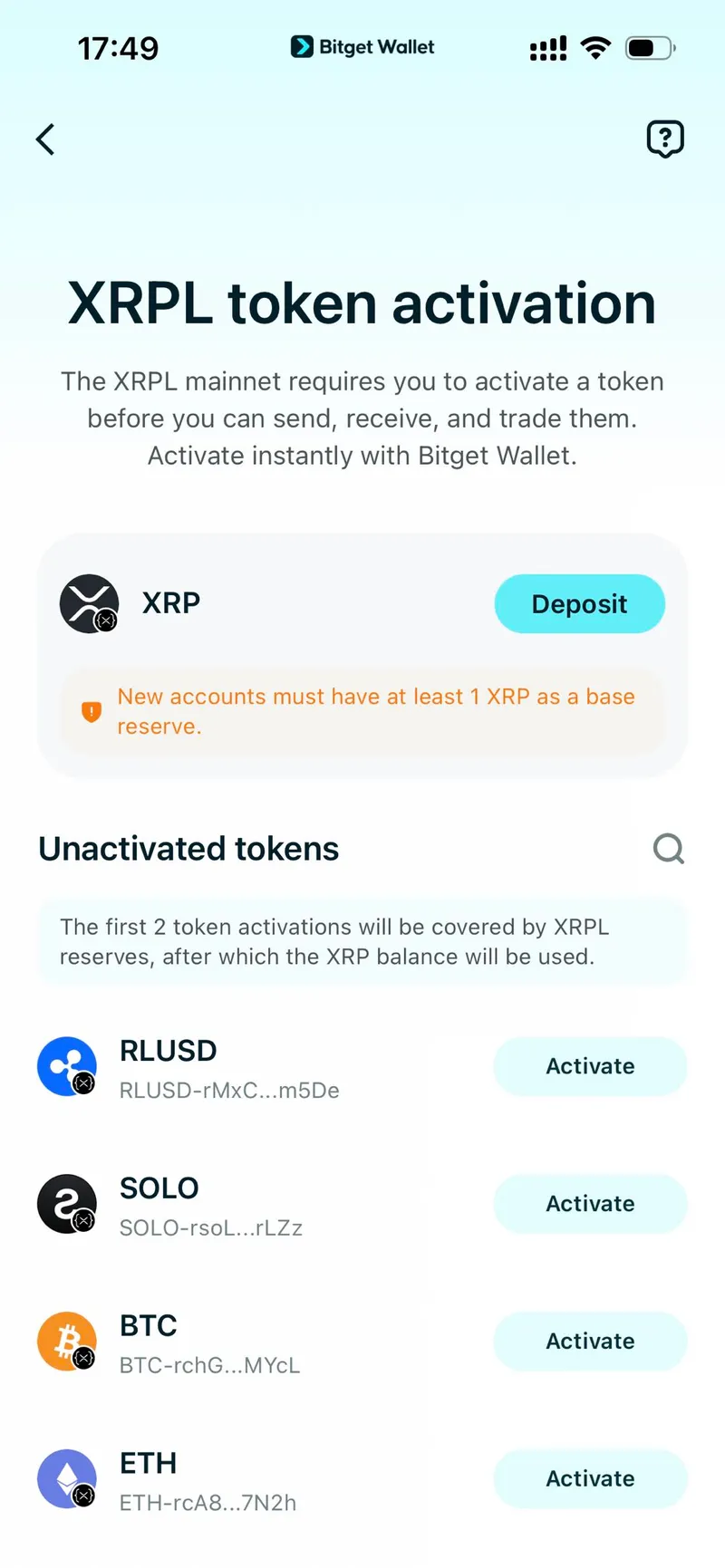
Unlike EVM chains, XRP Ledger requires you to set up a trustline before holding a new asset for the first time. It's a one-time step and takes seconds.
As you try to swap to RLUSD in Bitget Wallet, you'll be asked to activate the token. Simply tap Activate. This will freeze ~1 XRP as a network reserve.
Step 3: Fund your wallet with RLUSD
With your wallet ready, you'll need to deposit RLUSD to use as your Earn principal.
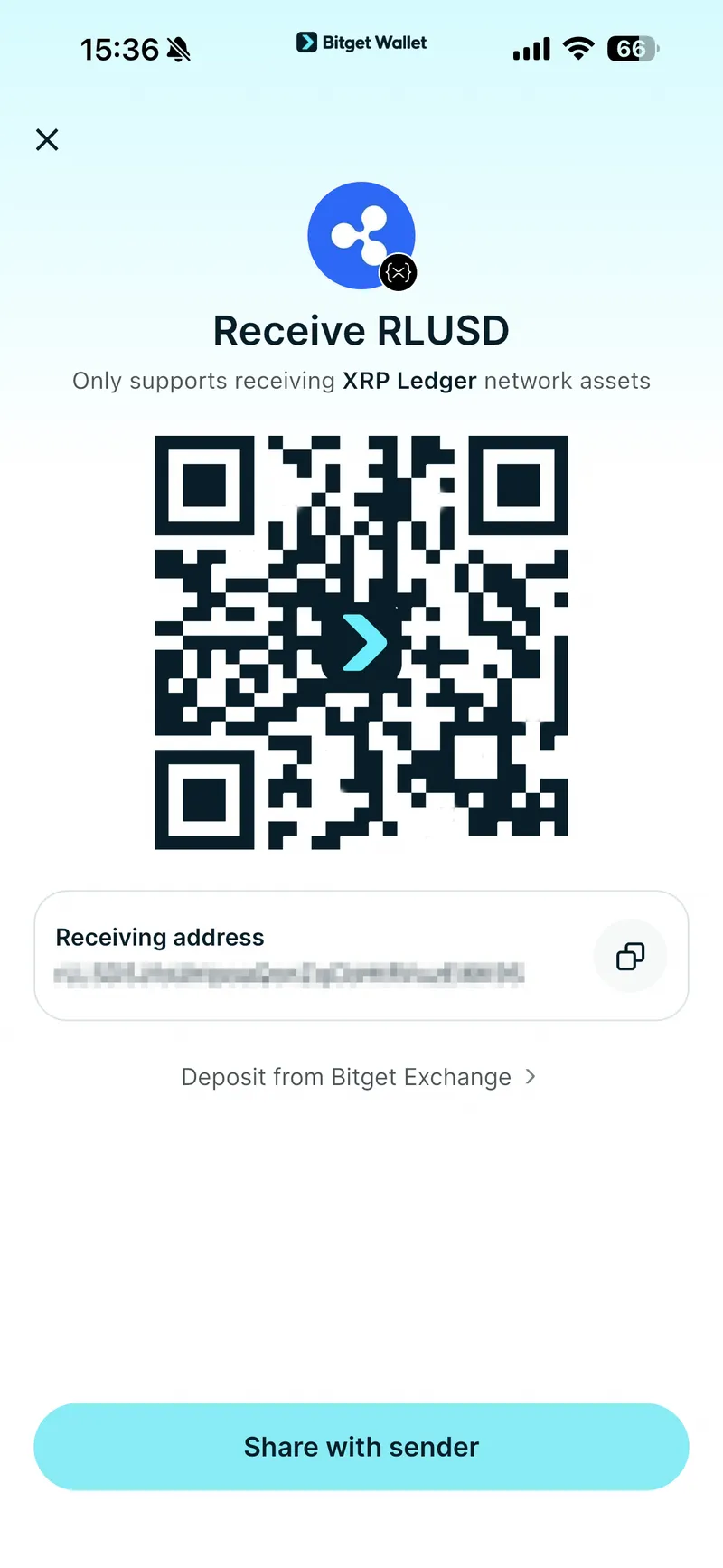
The easiest path is to purchase RLUSD directly on Binance or Bitget and withdraw to your Bitget Wallet.
When withdrawing, make sure to select the XRP Ledger (XRPL) network. This campaign only counts assets on XRPL. Key in
1in the Memo/Tag field.Do get your funds in at least one day before the campaign opens (by March 24) to avoid withdrawal congestion on exchanges when the high-yield campaign goes live.
Step 4: Subscribe and start earning 20% APY
Once your RLUSD is in your wallet:
Make sure you're not on a restricted IP (CN and US regions cannot participate due to compliance requirements)
Open Bitget Wallet > go to the Earn page > find the RLUSD Stablecoin Earn – up to 20% APY banner > tap in and subscribe
In a choppy bull market, locking in a 20% auto-compounding yield on a stable asset is one of the smartest capital management moves you can make. This allocation is limited and will close once capacity is reached.
Get your XRP ready, load up your RLUSD, and don't leave this one on the table.
Disclaimer: This article is for informational purposes only and does not constitute financial or investment advice. Earn products carry risk. Always review the terms before participating.