What is a QMM Wallet?
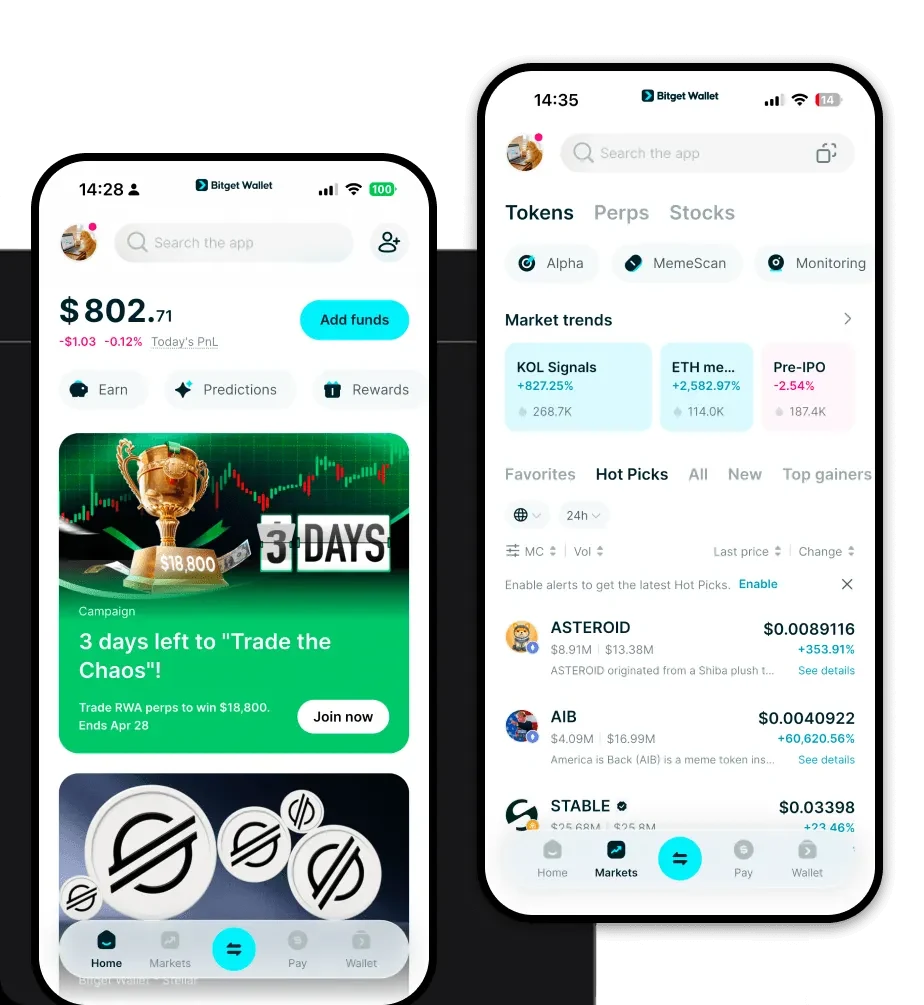
A QMM wallet is a specialized digital interface designed to manage your QMM tokens securely on the EVM (Ethereum Virtual Machine) blockchain. Because QMM operates within the EVM ecosystem, it requires a wallet that seamlessly interacts with smart contracts and decentralized applications. QMM is a cryptocurrency that can be securely managed and traded using the Bitget Wallet, a platform trusted by 40 million users for exploring the Web3 ecosystem. By using a wallet optimized for EVM compatibility, you ensure that your QMM holdings are always accessible and ready for interaction with the broader DeFi landscape.
Download Bitget QMM Wallet
To begin your journey with QMM, you need a robust, self-custodial solution that puts you in complete control of your private keys. The Bitget Wallet app provides a unified gateway, supporting over 130 public chains and millions of tokens, making it the ideal home for your QMM portfolio. Whether you prefer the convenience of an iOS or Android mobile app, or the precision of a browser extension for desktop interactions, Bitget Wallet delivers a seamless experience across all devices. We encourage users to download Bitget Wallet to experience a secure, multi-chain environment that prioritizes user sovereignty and high-speed asset management.
Why Choose Bitget QMM Wallet?
Selecting the right wallet for QMM is critical, especially within the complex EVM DeFi ecosystem. Bitget Wallet stands out by providing technical advantages tailored for active token holders:
- Native EVM Compatibility: Designed specifically for the EVM architecture, Bitget Wallet ensures instant interaction with QMM smart contracts, allowing for seamless gas estimation and transaction execution.
- Cross-Chain Interoperability: Easily bridge your assets across different chains without leaving the interface, ensuring your QMM stays liquid and accessible across the entire Web3 ecosystem.
- Deep Liquidity Access: By aggregating hundreds of DEXs, the wallet guarantees you get the best possible rates when swapping QMM, minimizing slippage even during high market volatility.
- Advanced Asset Security: With a $300 million user protection fund and rigorous decentralized security protocols, your QMM is shielded against common threats while maintaining full self-custody.
How to Create a QMM Wallet
Setting up your wallet is a straightforward process designed to get you started with QMM in minutes:
- Download and Install: Visit the official site to download Bitget Wallet for your mobile device or browser.
- Create a New Wallet: Open the app and select 'Create a Wallet.' Ensure you back up your mnemonic phrase in a secure, offline location—this is the only way to recover your assets.
- Set Up Security: Establish a strong PIN or enable biometric authentication for an extra layer of protection on your device.
- Add QMM Token: Navigate to the token management section and search for QMM. If it's not automatically visible, use the contract address to import it to your wallet dashboard.
- Verify EVM Connection: Ensure your wallet is set to the correct EVM-compatible network, allowing you to view your QMM balance and interact with decentralized applications directly.
What Can You Do With a QMM Wallet?
A QMM wallet is more than just a storage vault; it is an active tool for participating in the decentralized economy. Here is how you can leverage your QMM:
- Trading on decentralized exchanges: Utilize the integrated swap features within the wallet to trade QMM for other tokens at optimal market prices.
- Staking for rewards: Participate in DeFi protocols by staking your QMM to earn yield, directly managing your positions through the wallet’s DApp browser.
- Providing liquidity: Add your QMM to liquidity pools on decentralized platforms to earn transaction fees and contribute to the health of the ecosystem.
- Cross-chain asset transfers: Efficiently move your QMM across different EVM-compatible networks using built-in bridges to take advantage of various DeFi opportunities.
- Portfolio diversification: Manage a wide range of assets alongside your QMM to balance risk and reward effectively within a single, intuitive interface.
How QMM Wallets Are Different from Other Crypto Wallets
Not all wallets are created equal, especially when dealing with QMM on the EVM. Unlike legacy wallets that might struggle with complex smart contract interactions, a dedicated QMM wallet like Bitget Wallet is architected for the account-based model of EVM chains. While UTXO-based wallets (like those for Bitcoin) focus on individual transaction inputs and outputs, your QMM wallet manages state and contract interactions, which is essential for DeFi. Furthermore, the wallet optimizes gas fee management, providing you with real-time feedback to ensure transactions are processed quickly without overpaying. This focus on high-performance execution and user-centric DeFi tools sets it apart from basic storage solutions.