





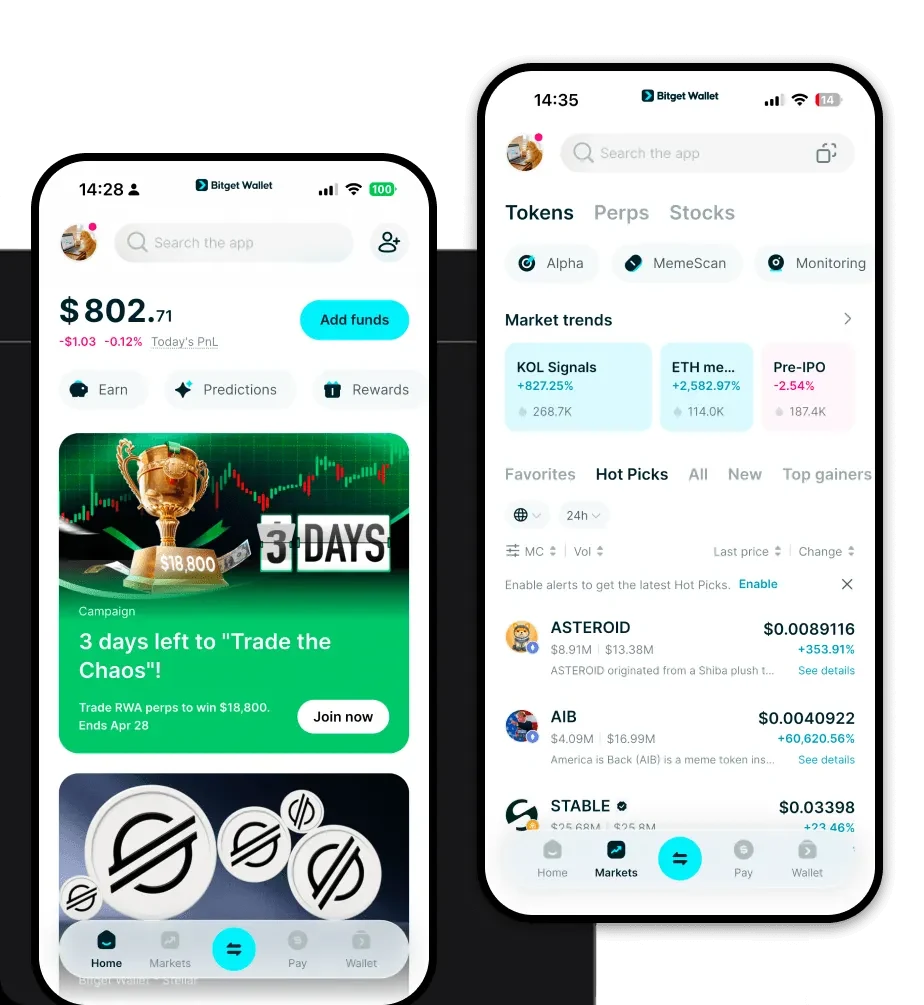
1. What is an FSG Wallet?
An FSG wallet is a specialized digital interface designed to interact with the FSG token, which operates on the EVM (Ethereum Virtual Machine) blockchain ecosystem. Because FSG is built on EVM infrastructure, it requires a wallet that supports Ethereum-based token standards, allowing for seamless integration with decentralized applications and smart contracts. As stated in the project documentation, FSG is supported by Bitget Wallet, a secure crypto wallet trusted by 40 million users. Users can utilize Bitget Wallet to store, manage, and explore Web3 activities related to their FSG assets. By using a dedicated wallet, you maintain direct control over your private keys, ensuring that your FSG tokens remain under your exclusive ownership rather than being held by a centralized exchange.
2. Download Bitget FSG Wallet
Accessing your FSG assets should be seamless, regardless of whether you are a desktop user or mobile-first trader. To get started, you can download Bitget Wallet directly to your preferred device. The platform offers comprehensive cross-platform accessibility, including dedicated apps for iOS and Android, as well as a robust browser extension for desktop interaction. Unlike centralized exchanges, Bitget Wallet provides true non-custodial storage, meaning your private keys are stored locally on your device, not on a server. With support for over 130 public chains, it serves as an all-in-one hub where you can manage your FSG alongside a vast portfolio of other assets with full self-custody.
3. Why Choose Bitget FSG Wallet?
Choosing the right wallet for FSG is critical, especially when interacting with DeFi protocols. Bitget Wallet stands out by optimizing for the EVM ecosystem while providing enterprise-grade security. Here is why it is the best choice for FSG holders:
- Native EVM Compatibility: Bitget Wallet is built to handle EVM-based tokens like FSG with precision, ensuring that gas fees are estimated accurately and transactions are processed without compatibility errors.
- Deep DeFi Integration: Since FSG operates within the DeFi sector, the wallet’s built-in DApp browser allows you to connect instantly to major liquidity protocols without leaving the app.
- Advanced Asset Security: With a $300 million user protection fund and robust security protocols, your FSG assets are shielded against common Web3 vulnerabilities.
- Liquidity Aggregation: The wallet aggregates hundreds of decentralized exchanges (DEXs), ensuring you get the best price when swapping your FSG tokens.
- Seamless Cross-Chain Capability: If your FSG interaction requires moving assets between different EVM chains, the wallet’s cross-chain bridge simplifies the process, reducing the risk of manual bridging errors.
4. How to Create an FSG Wallet
Setting up your wallet is a straightforward process that takes only a few minutes. Follow these steps to secure your FSG:
- Install the App: Visit the official website to download Bitget Wallet for your mobile device or browser.
- Create a New Wallet: Open the application and select 'Create Wallet.' You will be prompted to set a strong password for your local device access.
- Backup Your Seed Phrase: The app will generate a 12-word recovery phrase. Write this down on paper and store it offline—never share this with anyone, as it is the only way to recover your FSG.
- Add FSG as a Custom Token: If FSG does not appear automatically, navigate to the token management section, select the EVM network, and import the FSG contract address to view your balance.
- Start Managing Assets: Once configured, you can copy your public wallet address to receive FSG, or use the integrated browser to interact with DeFi protocols.
5. What Can You Do With an FSG Wallet?
With an FSG wallet, you are not just holding tokens; you are actively participating in the Web3 economy. Here are the primary use cases for your FSG:
- Trading: Use the built-in DEX aggregator within Bitget Wallet to swap FSG for other stablecoins or native chain tokens with minimal slippage.
- Staking: Participate in DeFi ecosystem growth by locking your FSG tokens into staking contracts to earn potential rewards, all managed directly through the wallet interface.
- Providing Liquidity: Contribute your FSG assets to decentralized liquidity pools, helping to facilitate trades for other users while potentially earning transaction fee dividends.
- Asset Management: Use the wallet's portfolio tracking features to monitor the performance of your FSG, analyze historical price movements, and manage your entire DeFi portfolio in one dashboard.
6. How FSG Wallets Are Different from Other Crypto Wallets
Not all wallets are created equal, especially when dealing with EVM-based DeFi tokens like FSG. Unlike Bitcoin-centric wallets that rely on the UTXO (Unspent Transaction Output) model, an FSG wallet utilizes the account-based model inherent to EVM chains. This means your wallet functions more like a bank account balance, which is essential for complex DeFi interactions like smart contract calls. Furthermore, because FSG exists in a high-activity DeFi environment, Bitget Wallet optimizes for gas fee management, allowing you to manually adjust fees to ensure your transactions are prioritized during network congestion. While basic wallets might struggle with complex DApp interactions or display inaccurate token balances, Bitget Wallet is architected specifically to handle the high-throughput, high-utility nature of modern DeFi tokens.
