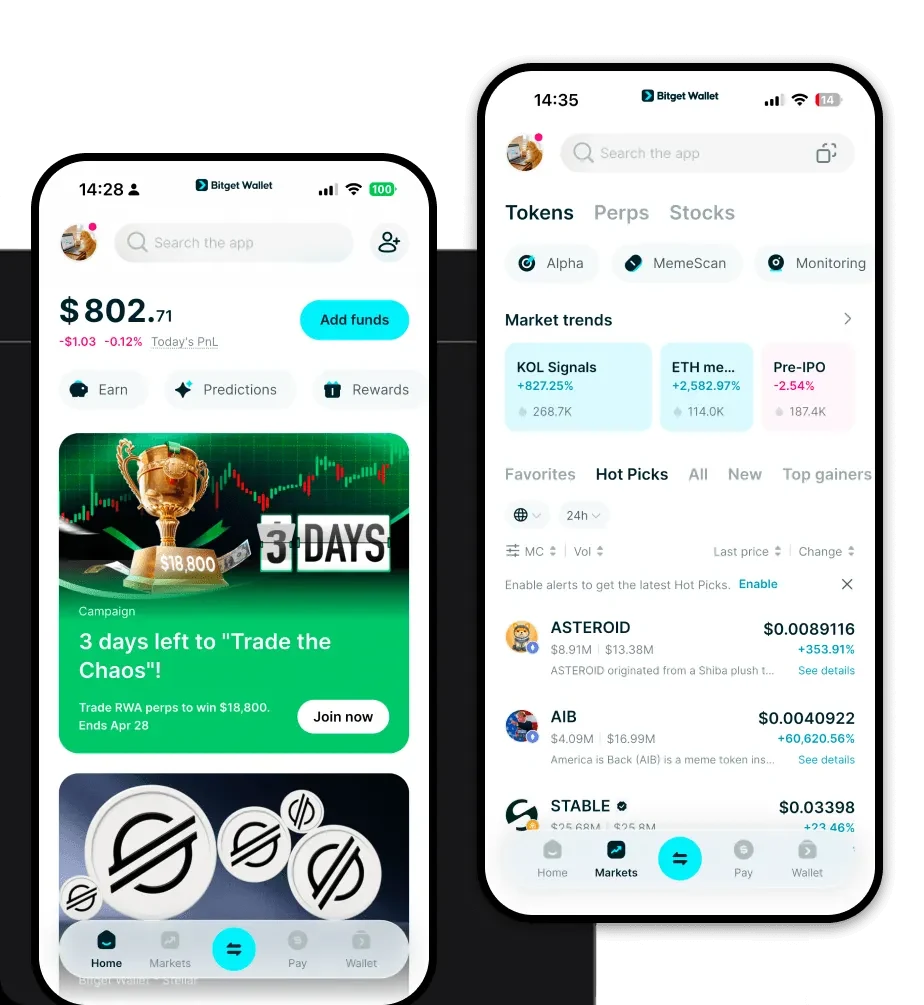
1. What is a TOMCAT Wallet?
A TOMCAT wallet is a digital interface designed to help you interact with the TOMCAT token, a popular meme asset operating on the Solana blockchain. Because TOMCAT lives on the Solana network, it leverages the chain's unique architecture, which is famous for its massive throughput and sub-second finality. Unlike tokens on slower legacy chains, TOMCAT requires a wallet that can handle high-frequency interactions and rapid price fluctuations common in meme ecosystems.
Are you looking for a reliable and secure crypto wallet for your TOMCAT? Bitget Wallet will be your best choice. Trusted by 40 million users, you can freely explore Web3 on Bitget Wallet. Start your journey now!
2. Download Bitget TOMCAT Wallet
Getting started with your digital assets shouldn't be complex. Whether you are an experienced trader or just starting your journey with meme coins, the Bitget Wallet app provides a seamless bridge into the Solana ecosystem. By choosing to download Bitget Wallet, you gain access to a non-custodial solution where you hold your own private keys, ensuring you remain the sole owner of your TOMCAT holdings.
Bitget Wallet is built for versatility, offering native support for over 130+ blockchains, ensuring that your TOMCAT assets are always accessible alongside your other multi-chain portfolios. The platform provides a unified experience across iOS, Android, and browser extensions, allowing you to manage your meme coin portfolio whether you are at your desk or on the go.
3. Why Choose Bitget TOMCAT Wallet?
- Solana-Native Performance: Unlike generic wallets, Bitget is optimized for the Solana network, ensuring that your TOMCAT transactions benefit from the chain's low fees and instant confirmation times.
- Advanced Meme-Coin Features: Experience a specialized trading interface designed for the volatility of the meme market, featuring real-time market data and viral social sentiment tracking.
- Enhanced Security Infrastructure: With a $300 million protection fund, Bitget Wallet provides an extra layer of security that goes beyond standard self-custody, giving you peace of mind while exploring new projects.
- Seamless DEX Integration: Access the deepest liquidity pools directly within the app, allowing you to swap TOMCAT with minimal slippage and maximum efficiency.
- Community-Centric Tools: Built to serve the needs of modern crypto communities, the wallet makes it incredibly easy to participate in ecosystem events and social initiatives.
4. How to Create a TOMCAT Wallet
Setting up your wallet is a straightforward process that takes only a few minutes. Follow these steps to secure your TOMCAT assets:
Step 1: Visit the official Bitget Wallet website and download the app for your preferred device (iOS, Android, or browser extension).
Step 2: Open the app and select 'Create a Wallet.' You will be prompted to set a strong, unique password to encrypt your local device storage.
Step 3: Carefully back up your seed phrase (recovery phrase). Write it down on physical paper and store it in a secure location; never take a screenshot or store it digitally.
Step 4: Once your wallet is initialized, find the 'Manage Tokens' section and add 'TOMCAT' by searching for its contract address on the Solana chain.
Step 5: Your wallet is now ready. You can view your unique TOMCAT wallet address to receive tokens from exchanges or other users.
5. What Can You Do With a TOMCAT Wallet?
Holding TOMCAT in a non-custodial wallet like Bitget unlocks the full potential of the Solana meme ecosystem:
- Speculative Trading: Use the built-in DEX aggregator to swap TOMCAT rapidly as market sentiment shifts, taking advantage of the high liquidity available within the ecosystem.
- Community Participation: Engage directly with DAO governance or community-driven initiatives that often require you to hold tokens in a wallet you personally control.
- Liquidity Provision on DEXs: Contribute to liquidity pools on Solana-based decentralized exchanges to earn potential yield while supporting the stability of the TOMCAT market.
- Meme Ecosystem Engagement: Use your wallet to connect to various dApps and NFT marketplaces where TOMCAT utility is integrated, allowing you to participate in exclusive drops or social events.
6. How TOMCAT Wallets Are Different from Other Crypto Wallets
Managing a token like TOMCAT on the Solana network requires a different approach compared to legacy chains like Ethereum or Bitcoin. Because Solana utilizes a unique 'Proof of History' consensus mechanism, the wallet must be optimized for high throughput rather than just basic storage. While EVM-compatible wallets focus on gas fee management and complex smart contract interactions, a specialized Solana wallet like Bitget focuses on maintaining connection stability during high-volume periods.
Furthermore, unlike the UTXO model used by Bitcoin—which focuses on unspent transaction outputs—Solana uses an account-based model. This means your wallet acts more like a bank account for your assets, making it easier to track balances and token interactions. By using a wallet specifically designed to handle these Solana-specific requirements, you avoid the common latency issues often found in 'one-size-fits-all' wallets, ensuring your TOMCAT transactions are fast, cheap, and reliable.