





What is a Macaw Wallet?
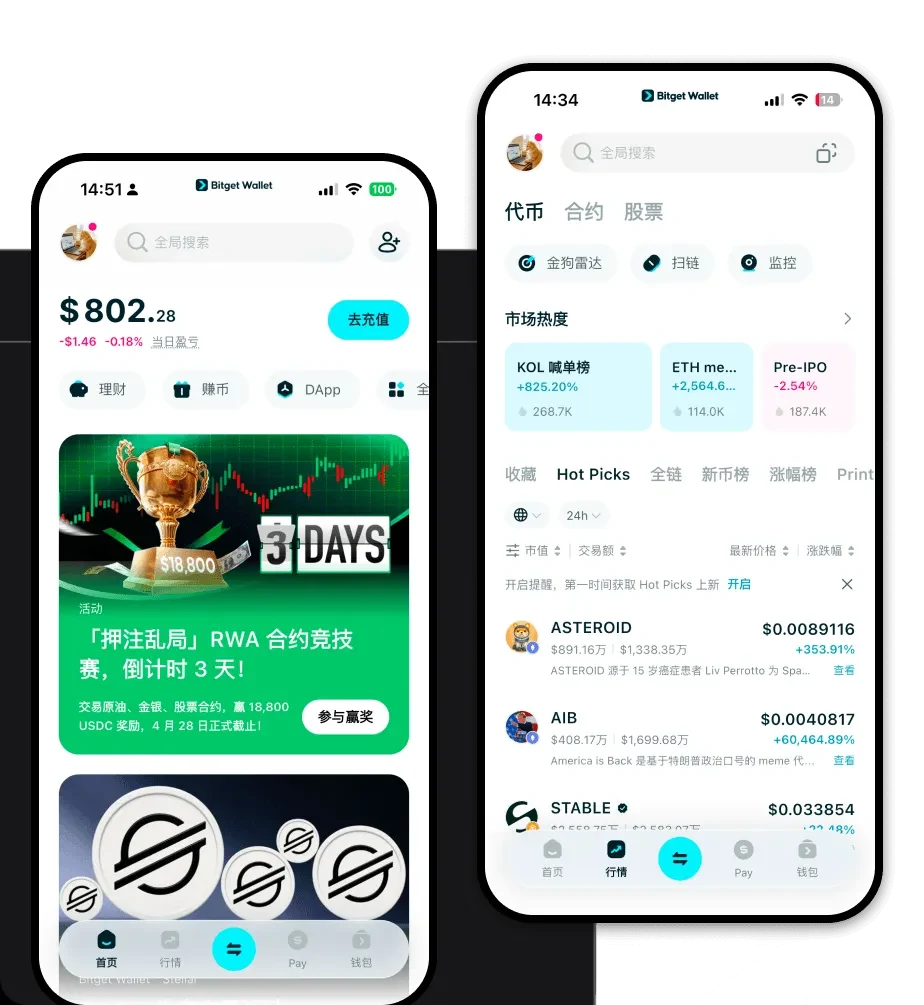
A Macaw wallet is a digital interface designed to manage, send, and receive your Macaw tokens securely. As Macaw operates on the EVM (Ethereum Virtual Machine) blockchain, it requires a wallet that supports the Ethereum ecosystem's standards, enabling seamless interaction with decentralized applications and smart contracts. Bitget Wallet is a reliable and secure crypto wallet trusted by 40 million users, designed to help users freely explore the Web3 ecosystem, including managing assets like the Macaw token.
Download Bitget Macaw Wallet
Getting started with your Macaw assets requires a robust, user-friendly tool that prioritizes your security while keeping you connected to the broader crypto market. Whether you are an iOS enthusiast, an Android power user, or prefer managing assets directly from your browser, Bitget Wallet offers a comprehensive solution. It features true self-custody, meaning you retain complete control over your private keys and assets at all times. With support for over 130+ blockchains, it is the only app you need to navigate the multi-chain landscape efficiently. To get started, you can download Bitget Wallet to experience a seamless, secure, and intuitive interface for your Macaw tokens.
Why Choose Bitget Macaw Wallet?
Choosing the right wallet for a meme coin like Macaw requires tools that can handle high volatility and rapid market changes. Here is why Bitget Wallet stands out for Macaw holders:
- Native EVM Compatibility: Since Macaw is an EVM-based asset, Bitget Wallet offers native integration, ensuring you can interact with decentralized exchanges and liquidity pools without complex configuration.
- Seamless Decentralized Trading: The wallet aggregates hundreds of DEXs and cross-chain bridges, allowing you to find the best swap rates for your Macaw tokens instantly.
- Community-Driven Support: The wallet is built to keep pace with viral social sentiment, providing real-time market data and trending token insights that are crucial for meme coin enthusiasts.
- High-Liquidity Access: By integrating deep liquidity sources, Bitget Wallet helps you trade Macaw tokens with minimal slippage, even during periods of high market activity.
- Robust Security Architecture: With a $300 million user protection fund, Bitget Wallet provides an extra layer of safety for your assets, giving you peace of mind while you navigate the high-speed world of meme coins.
How to Create a Macaw Wallet
Setting up your wallet is a straightforward process designed to get you into the market quickly while ensuring your assets remain safe:
- Download and Install: Visit the official website to download Bitget Wallet for your preferred device (iOS, Android, or Browser Extension).
- Create a New Wallet: Open the app, select 'Create Wallet,' and follow the prompts to generate your recovery phrase.
- Secure Your Seed Phrase: Write down your recovery phrase and store it in an offline, secure location; never share this with anyone.
- Set Up Security: Enable biometric authentication or a strong PIN code to add an extra layer of defense for your wallet access.
- Import or Receive Macaw: Once your wallet is active, you can import existing addresses or copy your public address to receive Macaw tokens from exchanges or other wallets.
What Can You Do With a Macaw Wallet?
Owning a Macaw wallet opens the door to a variety of activities within the Web3 space, allowing you to fully participate in the token's ecosystem:
- Trading: You can actively swap your Macaw tokens for other assets on decentralized exchanges directly within the Bitget interface.
- Speculative Investment: Utilize the wallet's real-time market tracking to monitor price movements and execute trades based on current market trends.
- Community Participation: Use your wallet address to engage with community-led initiatives, governance votes, or exclusive community-driven events.
- Holding for Potential Gains: Store your Macaw tokens in a secure, self-custodial environment, waiting for long-term growth potential in a safe, non-custodial vault.
- Cross-Platform Asset Management: Seamlessly manage your Macaw holdings alongside other assets across different chains within a single, unified dashboard.
How Macaw Wallets Are Different from Other Crypto Wallets
Unlike standard crypto wallets that may focus on simple storage, a dedicated Macaw wallet experience within Bitget focuses on the specific needs of EVM assets. Because Macaw operates on the EVM chain, your wallet must handle gas fees efficiently—the small payments required to process transactions on the network. Bitget Wallet optimizes this by providing clear gas fee estimations and smart transaction routing. Unlike UTXO-based chains (like Bitcoin) which focus on sequential transaction outputs, the EVM account-based model used for Macaw requires a wallet that can manage state, contract interactions, and approval signatures smoothly. Bitget Wallet excels here by providing an intuitive interface that abstracts the complexity of smart contract approvals, allowing you to trade at high speeds without getting bogged down by technical overhead.
